Video Processing Guide
After a video is uploaded, the worker (video-processing) makes its thumbnail and lower-resolution copies.
When many videos are waiting, run-once processes them in one go.
1. Check how many are waiting
Section titled “1. Check how many are waiting”When videos are waiting, the account menu shows the count to admins.
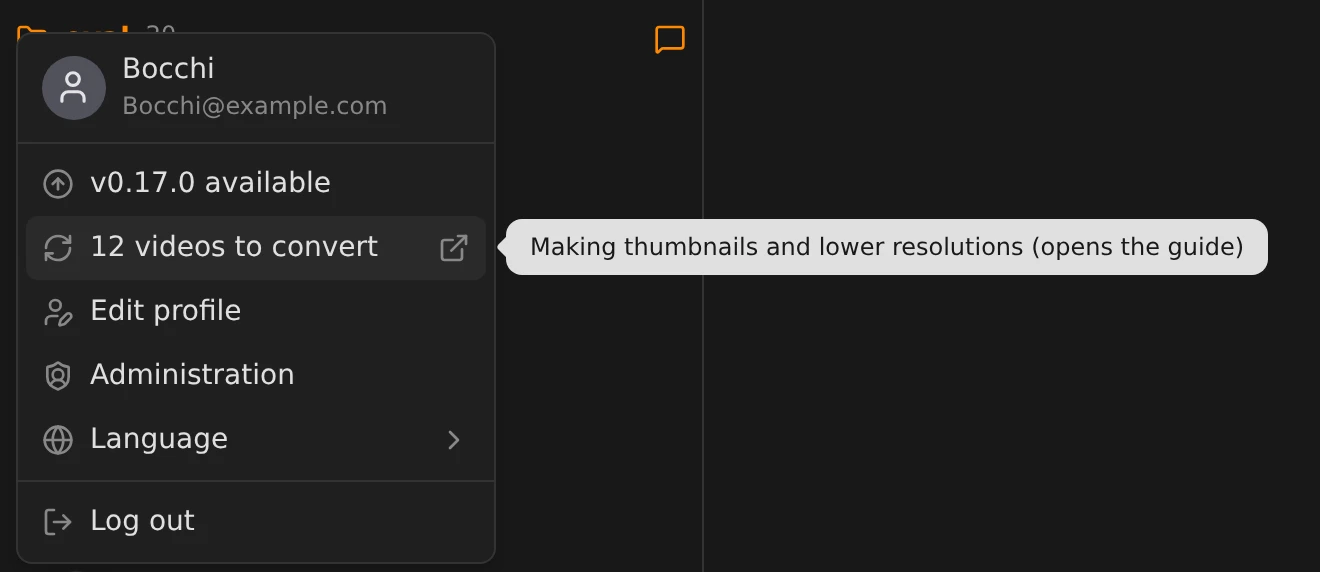
Note: the count refreshes each time the menu opens.
2. Process them with run-once
Section titled “2. Process them with run-once”run-once processes every waiting video, then exits.
It can run alongside a worker that is already running.
Many videos are waiting
Section titled “Many videos are waiting”When an upgrade queues every video for re-encoding, for example, a single worker takes a long time.
Run run-once on the worker's server or on another machine, and it works through the queue alongside the worker.
S3 + Lambda
Section titled “S3 + Lambda”The Lambda only handles videos as they are uploaded,
so videos that an upgrade queues for re-encoding are processed with run-once.
Note: running it on an EC2 instance in the same region as the bucket keeps transfer costs down.
Docker
Section titled “Docker”Run it in the folder that holds compose.prod.yml.
docker compose -f compose.prod.yml run --rm video-processing npm run video-processing:run-onceWith S3 + Lambda, run it in a folder that holds a .env with the same settings as the web server.
docker run --rm --env-file .env ghcr.io/arita-yuto/video-review/video-processing npm run video-processing:run-onceNote: do not wrap values in " in a .env passed with --env-file.
Local / On‑premises
Section titled “Local / On‑premises”Run it in the install folder.
./video-review-cli run-once3. Re-encode with reencode-video
Section titled “3. Re-encode with reencode-video”If a video's lower-resolution copies failed, queue it again with the maintenance CLI.
Maintenance CLI guide
go run . reencode-video --video_id {uuid}